Organizations
The highest level of structure in Airbyte is an organization. Organizations are how you manage membership and permissions, billing (if applicable), and overall account usage.
Self-Managed deployments only have one organization, but you can deploy Airbyte multiple times to establish different organizations.
Organizations contain one or more workspaces. From your organization's home page, you can view all of your workspaces and the current status of all syncs. Use this ability to identify workspaces with failed syncs that might need your attention.
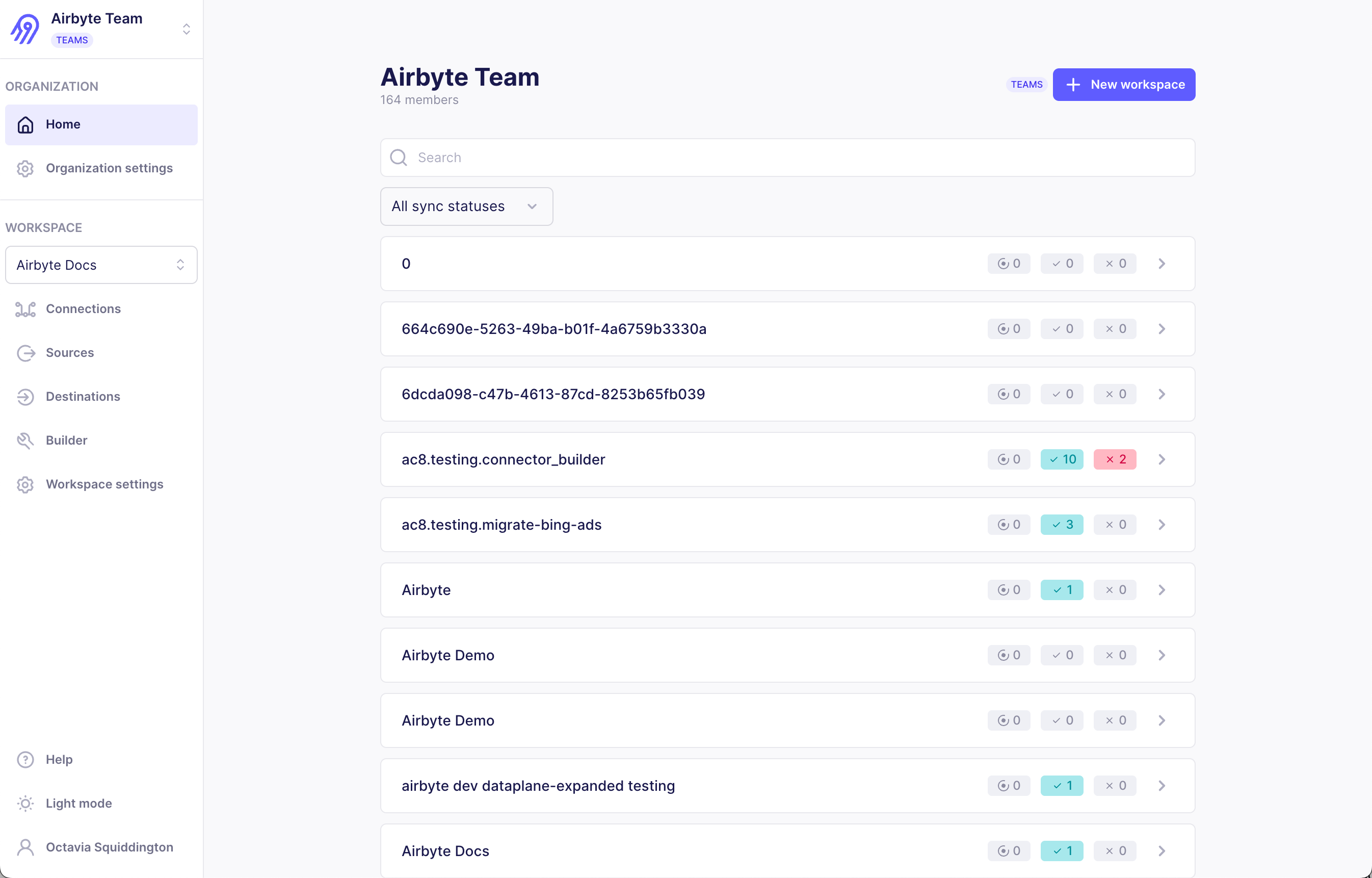
Each organization is unrelated to all others. Most Airbyte users belong to a single organization, but some people belong to multiple organizations. For example, a consultant working with multiple companies might have access to multiple Airbyte organizations.
Manage your organizations
Switch organizations
If you belong the multiple organizations, you can switch between them.
Manage billing and credits
In order to manage your payment and billing information, you need the Organization Admin role.
Manage and monitor data workers
If you are on a capacity-based plan, your organization has a contracted number of data workers. Airbyte allocates those data workers across the regions your organization uses, and enforces capacity per region. When all committed data workers in a region are in use, newly triggered sync jobs in that region are queued until capacity becomes available there. You can move data workers between regions at any time to match where your syncs run.